
Multi-chain assets
View assets across supported networks while keeping network differences, address verification and confirmation status visible.
Learn multi-chain basics →
imtoken · Wallet · Networks · Web3
A multi-chain wallet, blockchain network and Web3 knowledge hub from imtoken
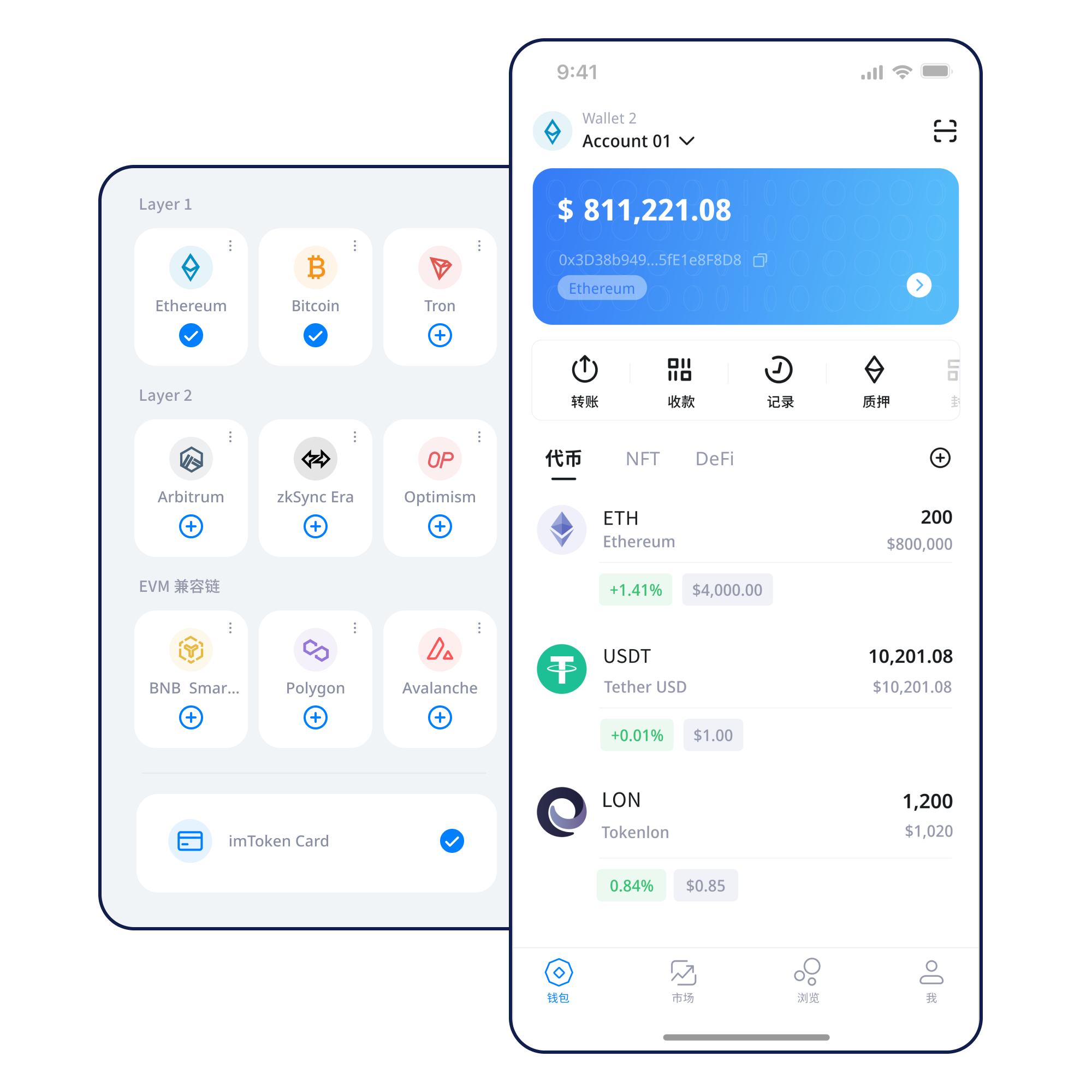
Manage assets across supported networks, verify network choices before sending, receive with the correct address, connect to DApps with separate reviews for signatures and approvals, and build wallet security habits from the first backup.
Start with a task
Prepare a new wallet and understand what must be backed up before receiving assets.
Open guide →Keep the seed phrase offline and separate from screenshots, cloud notes and chat tools.
Open guide →Verify the domain and review every signature or approval as a separate request.
Open guide →Wallet capabilities
View assets across supported networks while keeping network differences, address verification and confirmation status visible.
Learn multi-chain basics →Mobile access to network management, assets, transaction history and DApp workflows.
Verify the receiving address, selected network, amount, gas and transaction hash at the appropriate stage.
Transfer guide →Treat browser connection, account access, signatures, approvals and disconnecting as distinct actions.
Use on the web →
Keep seed phrases and private keys under your control, back up offline, and review permissions before signing.
Multi-chain
A multi-chain wallet can organize accounts across several networks, but assets on one network do not automatically exist on another. Verify the active network before receiving, sending or signing.
Read guide →Public Chains
Public chains use distributed nodes to validate and record transactions in blocks. A block explorer helps you verify transactions, confirmations and contract activity independently of the wallet interface.
Read guide →
EVM
EVM-compatible networks share a contract execution model, address conventions and gas concepts, yet each network has its own chain state and native fee asset.
Read guide →
Layer 2
Layer 2 systems extend transaction capacity while maintaining a settlement or security relationship with a main network. Bridging between layers can involve waiting periods and distinct risks.
Read guide →
Gas & Confirmations
Gas pays for computation and transaction inclusion. Fees and confirmation times can change with network demand, and a submitted transaction may remain pending or fail.
Read guide →A safer usage path
Use the official download entry and do not trust links that expose an unrelated final target.
Understand what is created or imported before adding assets.
Keep the seed phrase offline and never disclose the private key.
Check the network before receiving, sending or connecting to a DApp.
Confirm address, network, amount and gas before broadcasting.
Use transaction hashes and periodically review permissions you no longer need.
Web3 & DApp
Connecting a wallet does not mean every later signature or approval should be accepted. Review each request separately.
Web3 guide →Security
Wallet security is not a single switch. It comes from how you store recovery material, verify websites, evaluate signatures, manage token approvals, secure devices and check every transfer. Seed phrases and private keys stay under your control, blockchain transfers are usually not reversible by the wallet alone, and third-party DApps or smart contracts may carry their own risks.
Open Security Center →Featured introduction
Start with addresses, seed phrases, private keys, networks, gas, transaction hashes, DApps and approvals. Understanding how these pieces relate makes later actions easier to verify and troubleshoot.
Read the introduction →Ethereum · PoS
Learn how Ethereum PoS, validators, rewards, network state, withdrawals and exits relate. Staking does not guarantee returns; rewards may change and exits can involve waiting.
Learn staking basics →Before participating
Validator penalties, smart-contract risk, waiting periods, digital-asset price volatility and third-party service risk should all be considered before participation.
PoS & validators →Updates
A practical review of address, network and transaction checks.
Product NoticeUnderstanding network selectionWhy wallet interfaces can show similar assets across different networks.
Security NoticeReviewing token approvalsHow to identify spenders and permissions you no longer need.
NetworkGas and confirmation basicsWhy fees and waiting times change with network demand.
ServiceSupport information checklistWhat public information helps troubleshoot without exposing secrets.
FAQ
imtoken helps organize multi-chain wallet addresses, view assets, prepare transfers and connect to Web3. The interface assists with actions, while the selected blockchain network records the final state.
Both can provide control over wallet assets. A seed phrase commonly restores a set of accounts, while a private key is specific key material. Neither should be sent to another person or entered into an unfamiliar website.
The same asset name may exist on different networks, and address formats can look similar. A wrong network choice can prevent assets from arriving as expected, so verify the network, address and token information together.
Gas measures the computational resources needed for an on-chain transaction or contract call. The actual fee can change with network conditions, transaction complexity and fee settings.
A transaction hash is an important identifier for checking an on-chain transaction. It can be used with the appropriate block explorer to verify broadcast, confirmation, failure or contract execution status.
No. A connection usually establishes an account session. Signatures, token approvals and on-chain transactions are separate permission layers and should be reviewed separately.
No. Message signatures can be used for login but may also be designed to capture authorization intent. Verify the domain, the full message and the reason for signing.
imtoken
Use the official download entry. Always review the network, address and requested permissions before acting.